Real-Time Translation on iPhone: What iOS Blocks
StreamVox arrived on iPhone in August 2026. This guide is the honest version: what the app translates on a phone, what iOS refuses to give any app, and where the iPhone build genuinely differs from Windows and Mac.
The short answer: everything its microphone hears, most of what the phone plays out loud - and nothing at all from a call.
What StreamVox Does on an iPhone
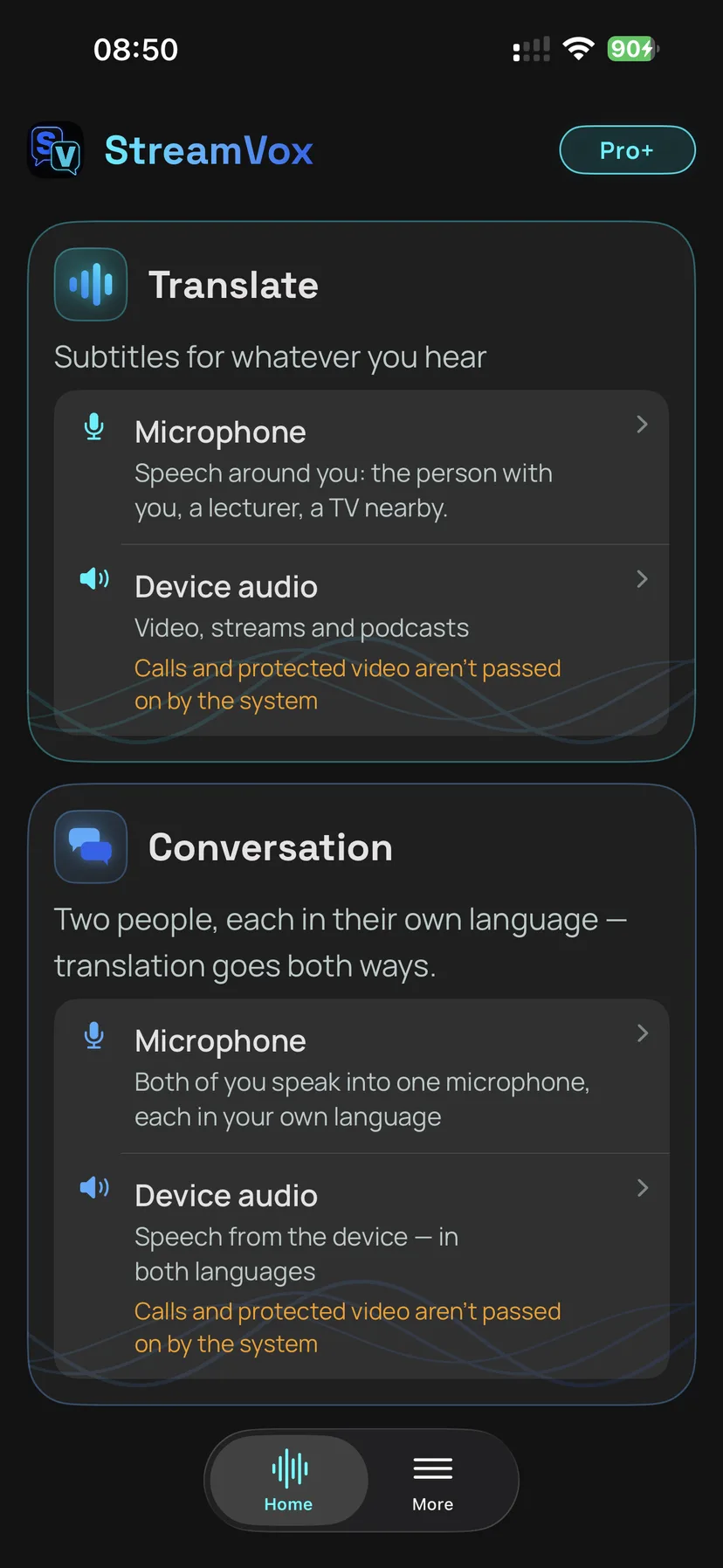
Two audio sources, the same two the desktop apps start with:
- Microphone - the room around you. A conversation at a table, a lecture, an announcement at a station.
- Device audio - whatever your iPhone is playing. Video, streams, podcasts.
On top of those, the phone runs the same two modes as the desktop:
-
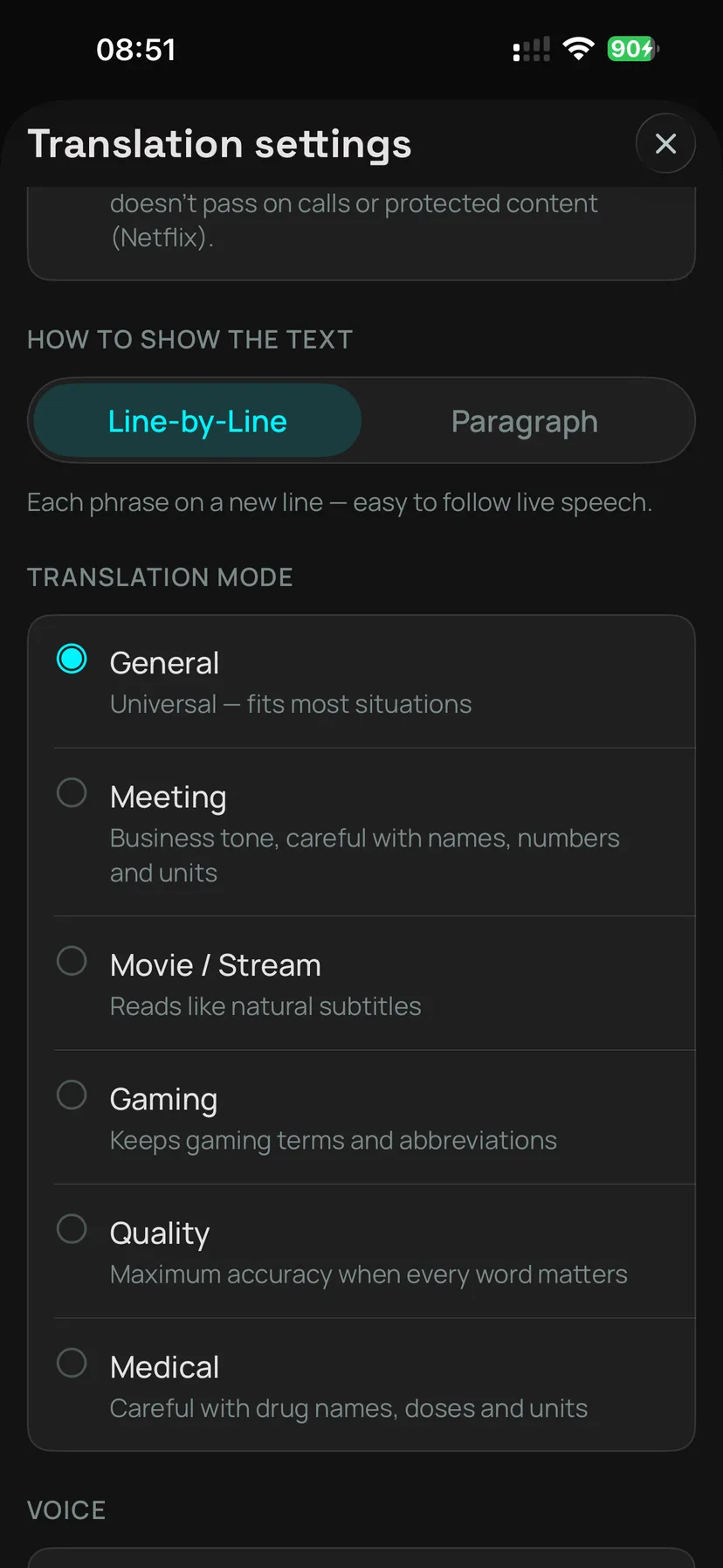
Translate turns one stream of speech into subtitles in your language, across 61 languages, with the full set of profiles: General, Gaming, Meeting, Movie / Stream, Quality and Medical. Medical needs English as the source language; the rest work with any pair.
-
Conversation handles two people talking. The app works out who just spoke and puts each side in its own colour, so a two-way exchange reads as a dialogue rather than a wall of text.
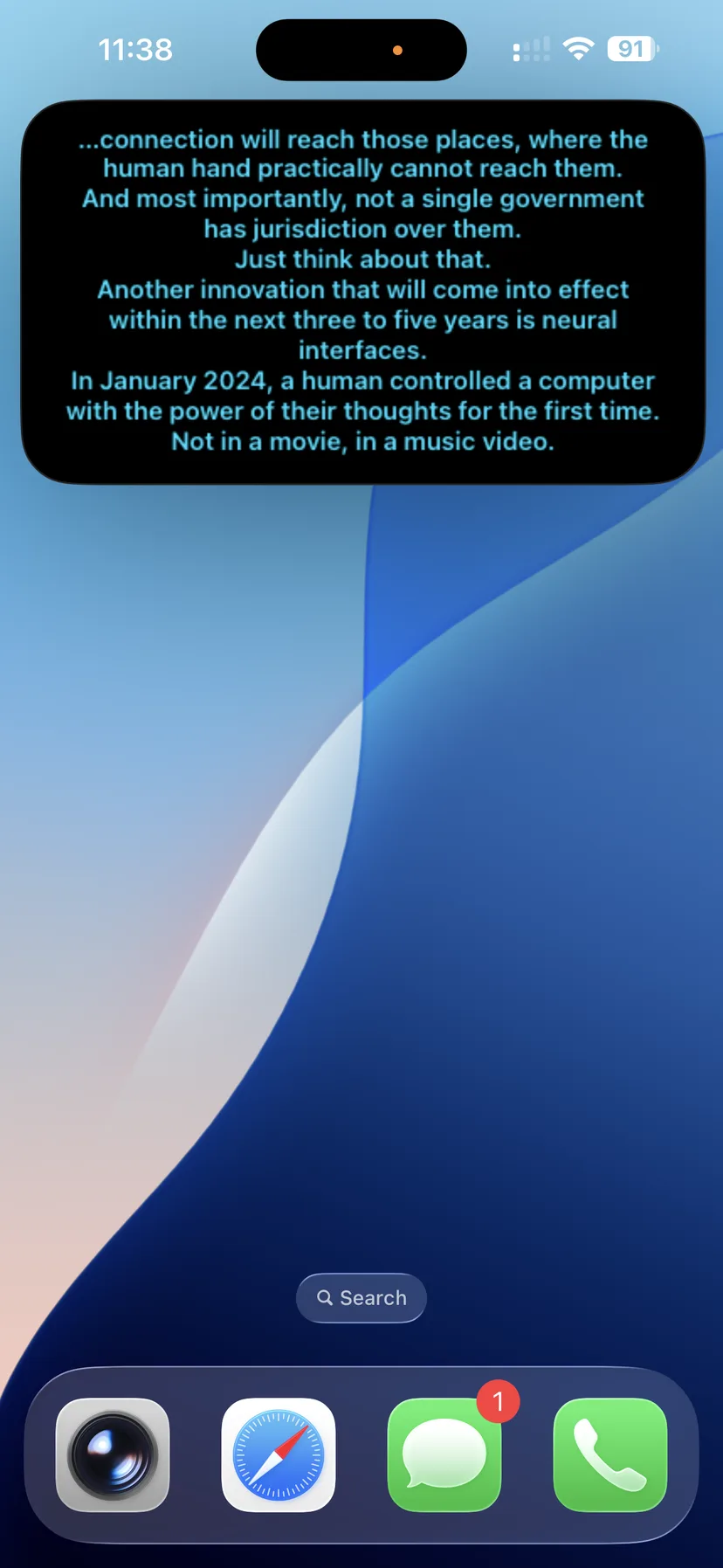
Translate can also read the translation aloud, and both modes can push the subtitles into a Picture-in-Picture window that floats over whatever else you are doing.
How to Start a Session on iPhone
- Open StreamVox and pick your input and output languages.
- Choose your audio source - microphone for the room, device audio for what the phone is playing.
- Tap start. For device audio, iOS shows its own broadcast picker; confirm there and the subtitles begin.
The settings sheet is where you pick the profile and turn on spoken translation.
What iOS Will Not Hand to Any App
This is the part worth reading before you buy anything.
Apple does not let a third-party app receive audio from a call. That covers the phone dialler, FaceTime, and calls inside messaging and conferencing apps - Zoom, Microsoft Teams, Discord, WhatsApp. It also covers copy-protected content: Netflix, Apple TV+, Apple Music and anything else that uses DRM.
None of this is a setting you can change, and none of it is specific to StreamVox. iOS simply does not deliver that audio, and the app shows you as much when you try.
If subtitled calls are what you need, that is a desktop job. On Windows, Microsoft Phone Link puts your phone's call audio on the PC. On a Mac, Apple Continuity lets you answer an iPhone call on the computer. In both cases the audio reaches the machine legitimately, and StreamVox subtitles it there.
So What Can You Translate on Your iPhone?
Everything that is not a call and not DRM-protected, which in practice is most of what a phone plays:
- YouTube, Twitch and other streams - foreign-language videos, live broadcasts, commentary.
- Podcasts and audio apps - listen to a show in a language you are still learning.
- Games - in-game dialogue and voice chat that plays through the phone's audio.
- The room in front of you - via the microphone, which is where Conversation mode earns its place: two people, one phone on the table.
Where iPhone Differs From Windows and Mac
Three real differences, none of them cosmetic:
No per-app audio capture. On macOS you can point StreamVox at one application and ignore everything else - translate a meeting while music keeps playing. iOS has no equivalent, so device audio on the phone is whatever the phone is playing, as a whole.
No microphone and device audio at the same time. On a Mac, Conversation mode can take one speaker from the microphone and the other from the computer's audio. The iPhone's microphone engine is one per process and the broadcast extension's frame protocol does not separate channels, so the phone runs one source at a time. In practice that makes Conversation on iPhone an in-person feature: both voices go through the microphone.
The teleprompter is a Picture-in-Picture window. On the desktop it is a panel you drag and resize freely. On iPhone it is an iOS PiP window - it floats over other apps, which is the point, but it keeps the size iOS gives it.
Which Languages Work in Which Mode
Translate covers 61 languages in both directions, on the phone exactly as on the desktop.
Conversation is narrower, and this is not an iPhone restriction - it is how the code-switching model works on every platform. It recognises ten languages: English, Spanish, French, German, Italian, Portuguese, Russian, Japanese, Dutch and Hindi. Both sides of the conversation have to come from that list, and they have to be different languages.
If your pair is not in the ten, use Translate mode instead and take turns.
Does One Subscription Cover All Three Platforms?
Yes. One account, one subscription, Windows and Mac and iPhone, with one active device at a time. Pro, Pro+ and Unlimited all unlock the same features and differ only in how many hours they include, and the prices are the same on every platform.
The free plan gives about 15 minutes a day, which is enough to test whether the thing that matters to you actually works on your phone before you pay for anything.
Frequently Asked Questions
Can StreamVox subtitle a phone call or a Zoom call on iPhone?
No, and no app can. iOS does not hand call audio to any third-party app - not the phone dialler, not FaceTime, and not calls inside Zoom, Teams, Discord or WhatsApp. This is an Apple restriction, not a StreamVox limitation. To subtitle a call, run StreamVox on a Windows PC or a Mac, where the call audio plays through the computer.
Does StreamVox work with Netflix on iPhone?
No. iOS blocks copy-protected audio from screen capture, so Netflix, Apple TV+ and Apple Music never reach any app on your phone. Video and audio without DRM - YouTube, Twitch, podcasts, most web players - work normally.
How many languages does Conversation mode support on iPhone?
Ten: English, Spanish, French, German, Italian, Portuguese, Russian, Japanese, Dutch and Hindi. Conversation uses a code-switching model that recognises exactly this set. Translate mode is unaffected and covers 61 languages.
Do I need a separate subscription for iPhone?
No. One StreamVox subscription covers Windows, Mac and iPhone from the same account, on one active device at a time. If you already pay for Pro, Pro+ or Unlimited, sign in on your iPhone and it works.
What does StreamVox need to run on iPhone?
iOS 17.0 or newer, and an internet connection - speech recognition and translation run in the cloud. The app is a universal download that shares one App Store listing with the Mac version.
Getting Started on Your iPhone
- Download StreamVox free from the App Store - the same listing serves iPhone and Mac.
- Sign in with your account, or create one in the app.
- Pick your languages, choose microphone or device audio, and start a session.
- Subscribe inside the app if you need more than the free plan's 15 minutes a day.
A phone is the one device that is always with you, which makes it the right place for subtitles you did not plan for - a podcast in a language you half-know, a conversation you were not expecting to have. It is also the device Apple guards most closely, and pretending otherwise would only waste your time. Now you know which half is which.
AlekGir
Ready to Try StreamVox?
Get real-time translated subtitles for any audio on Windows, Mac and iPhone.